Native Windows 11 Experience
Designed for Any Desk Setup
Self-contained installation into %LOCALAPPDATA%\Crimson Obsidian with full backup & restore parity.
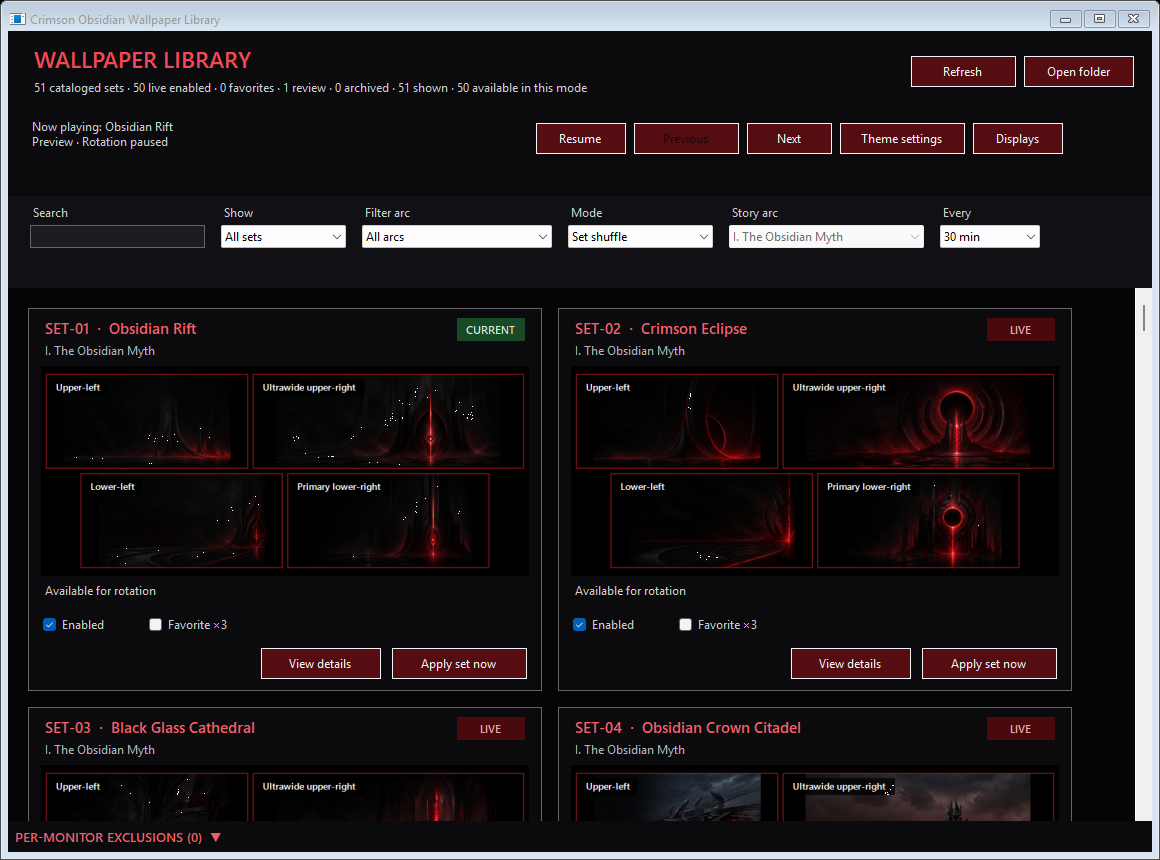
On-Demand Wallpaper Library & Set Detail
Browse all 53 chapters with instant cached thumbnails, filter by narrative arc, mark Favorite ×3 sets, switch between Set shuffle, Story sequence, and Selected arc, or open any chapter's full-resolution Set Detail view.
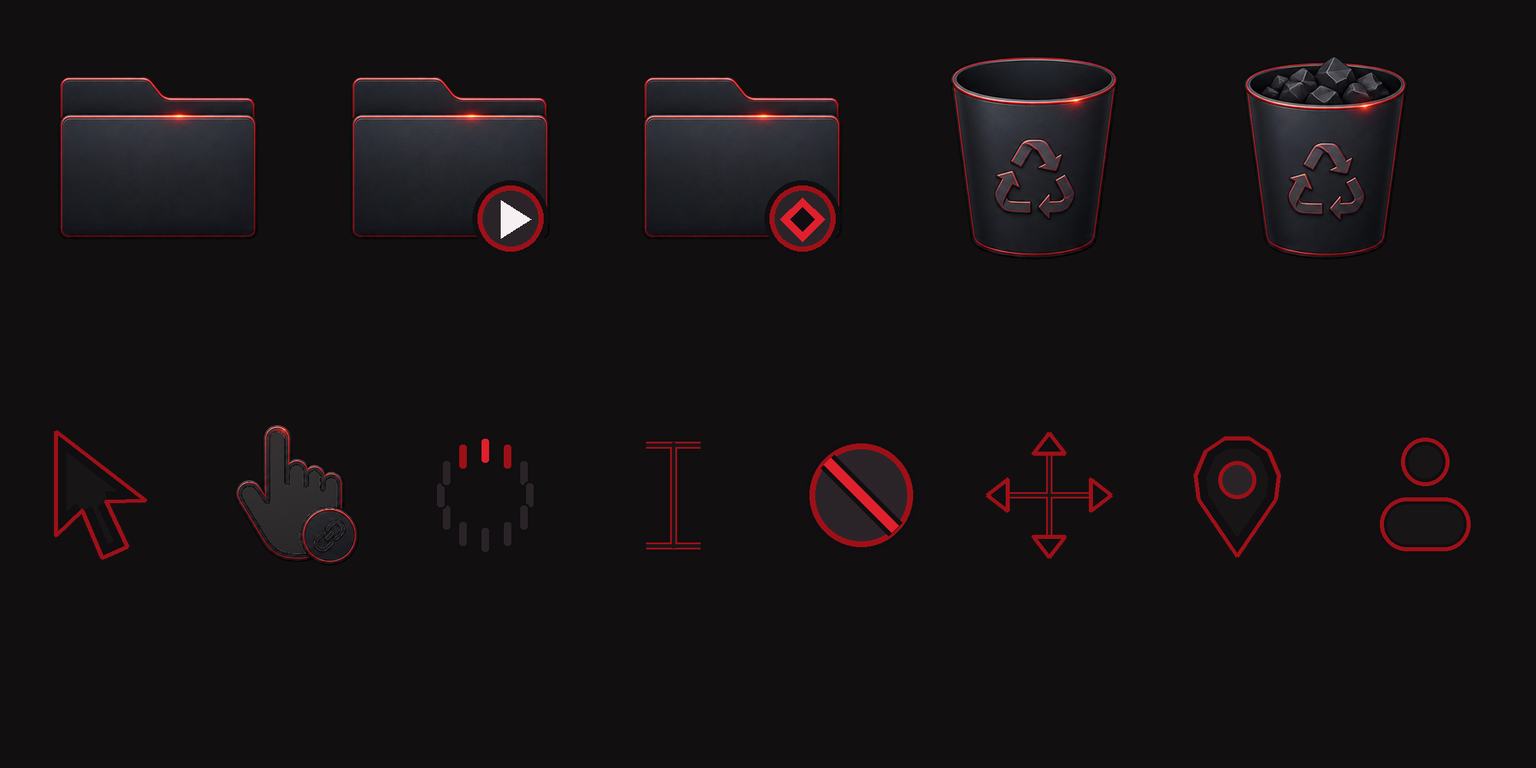
Selective Native Theme Layers & One-Click Restore
Choose only the layers you want: Windows 11 dark oxblood colors, Windows Terminal scheme, 6 subtle WAV event cues, and a 17-role obsidian-and-crimson cursor set. Every layer records a verified backup before applying and restores cleanly in one click.